Your Questions, Answered
We’ve assembled the most frequently asked questions about Eversense into one place. Got a question that you can’t find the answer to? Contact us.
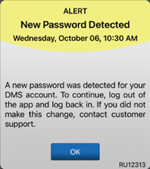
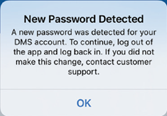
The Eversense® Mobile App will periodically check to confirm your log in information has not been changed via your Eversense® DMS account.
If you change your Eversense® account password from your DMS log in screen or the DMS Change Password page, you must log out of the Eversense® Mobile App and log back in using the new password. If the passwords do not match, the Eversense® Mobile App will notify you and indicate that some features are not available, including not being able to sync your data to your DMS account, not being able to add Eversense® NOW users to your Circle, and not being able to make changes to your profile picture.
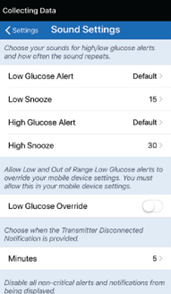
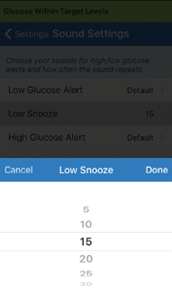
By setting the snooze alert, you can set how often an alert repeats after you have received a Low Glucose and High Glucose alert. The Low Glucose alert repeat interval can be adjusted from 5 minutes up to 30 minutes. The High Glucose alert repeat interval can be adjusted from 15 minutes up to 180 minutes.
1. Tap Menu > Settings > Sound Settings to display the SOUND SETTINGS screen.
2. Tap each snooze alert to set how often the alert repeats. Tap Done when complete.
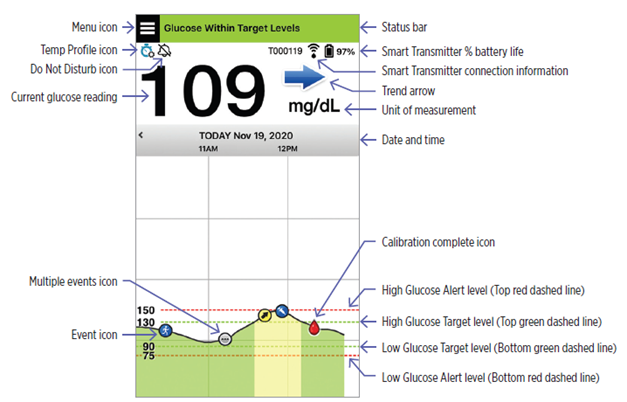
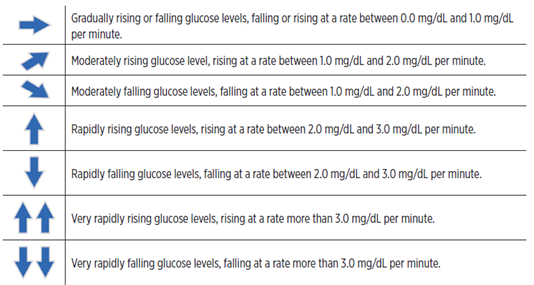
The arrows on the screen are called “Trend Arrows”. The trend arrow shows the current direction the glucose is going and how fast the glucose trend is changing.
The app uses the last 20 minutes of continuous glucose data for calculating glucose trends. When there are not enough sensor values available for the calculation, the arrow will not be displayed.
You can view a snapshot of system information on some iOS and Android devices. For information on managing widgets, consult your mobile device User Guide. The Eversense Widget is not available on all operating systems.
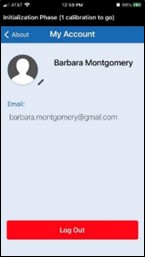
To log out of your Eversense® account, tap About > My Account > Log Out.
IMPORTANT: If you log out, no glucose data will be displayed on the app until you log back in using the email and password you used to create your account.
Still have questions?
The Eversense team is dedicated and ready to provide the answers and support you need. Simply click the link below.
The Eversense® 365 Continuous Glucose Monitoring (CGM) System is indicated for continually measuring glucose levels for up to one year in people (18 years and older) with diabetes. The system is indicated for use to replace fingerstick blood glucose (BG) measurements for diabetes treatment decisions. Fingerstick BG measurements are required for calibration one time a week after day 13, and when symptoms do not match CGM information or when taking medications of the tetracycline class. The sensor insertion and removal procedures are performed by a health care provider. The Eversense 365 CGM System is a prescription device; patients should talk to their health care provider to learn more.
For important safety information, see bit.ly/eversensesafety
Eversense, Eversense 365 Continuous Glucose Monitoring, and the Eversense logo are trademarks of Senseonics, Incorporated. All other trademarks are properties of their respective owners and are used solely for informative purposes. No relationship or endorsement should be inferred or implied.
Apple Watch® is a product of Apple, Inc., and may be separately purchased from an authorized Apple retailer. Apple Watch is not included with the Eversense CGM System. Android is a trademark of Google LLC.
MKT-001692 Rev 1


 Call My Eversense Specialist Now
 Schedule a Call