Your Questions, Answered
We’ve assembled the most frequently asked questions about Eversense into one place. Got a question that you can’t find the answer to? Contact us.
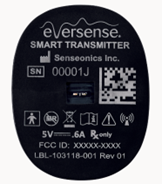
SN: Smart Transmitter Serial Number
LBL: Artwork part number
FCC ID: FCC is a US agency that regulates certain device communications
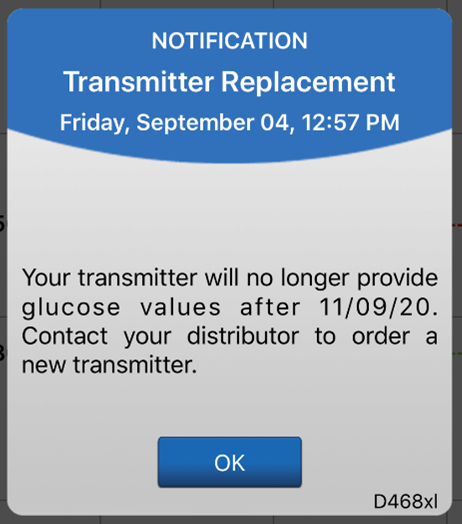
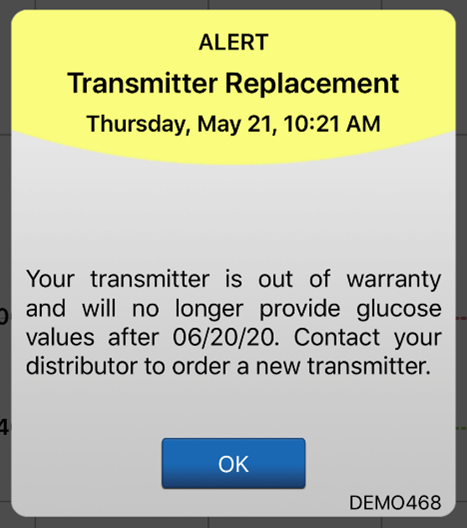
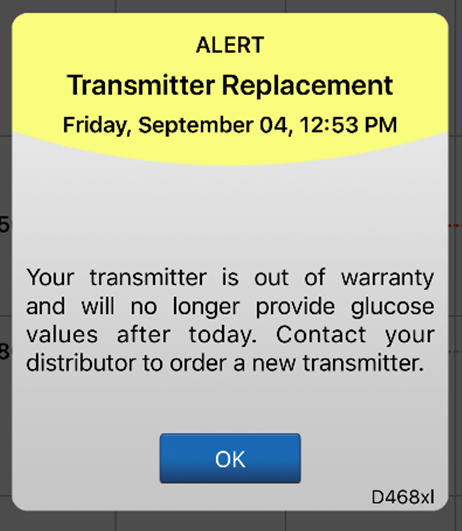
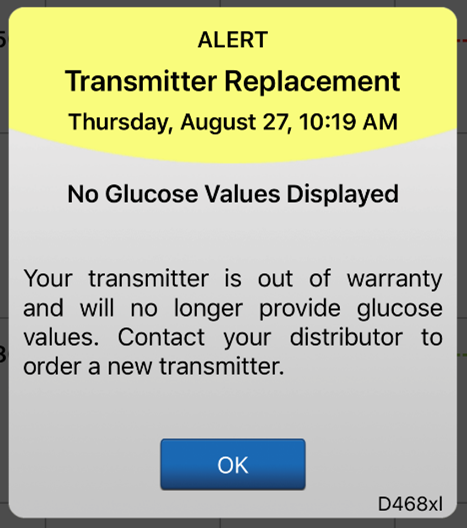
The system will send out a notification on day 330, and alerts on days 366, 373, 380, 387, 394, 395, and 396 reminding the user to order a new smart transmitter. After day 395, the smart transmitter will no longer be able to provide CGM data to you.
The Eversense® 365 Smart Transmitter can be paired to only one mobile device at a time.
Characteristic Description
Input/Output 5V DC, 1A
Type USB-A to USB micro-B
Length 36 inches (91 cm)
When you enable Do Not Disturb mode on your mobile device you will not receive any alerts or notifications from the app. The DND icon will appear on the Home Screen. ONLY high priority alerts will be provided by the app and smart transmitter’s on-body vibe alerts.
We strongly recommend that users do not activate Do Not Disturb on their mobile device
If your mobile device is running iOS 12 and above or Android 6 and above, you can optionally allow Low and Out of Range Low Glucose alerts to always override your mobile device sound settings. When turned on, the Low and Out of Range Low Glucose alerts will be played at your phone's maximum volume. You cannot change the volume level for this override setting. This allows you to still receive Low and Out of Range Low Glucose alerts on your phone, even if your phone's Silent Mode is on, or Do Not Disturb is on. You must allow this in your mobile device settings.
Some apps and settings such as Driving Mode may automatically enable Do Not Disturb. Please refer to your mobile device instructions for more information.
If your mobile device is running iOS 12 and above or Android 6 and above, you can optionally allow Low and Out of Range Low Glucose alerts to always override your mobile device sound settings. When turned on, the Low and Out of Range Low Glucose alerts will be played at your phone's maximum volume. You cannot change the volume level for this override setting. This allows you to still receive Low and Out of Range Low Glucose alerts on your phone, even if your phone's Silent Mode is on, or Do Not Disturb is on. You must allow this in your mobile device settings.
Use cases
- Loud working environment
- Heavy sleeper who may not feel vibes
- NOT intended for switching on during a meeting, for example
Still have questions?
The Eversense team is dedicated and ready to provide the answers and support you need. Simply click the link below.
The Eversense® 365 Continuous Glucose Monitoring (CGM) System is indicated for continually measuring glucose levels for up to one year in people (18 years and older) with diabetes. The system is indicated for use to replace fingerstick blood glucose (BG) measurements for diabetes treatment decisions. Fingerstick BG measurements are required for calibration one time a week after day 13, and when symptoms do not match CGM information or when taking medications of the tetracycline class. The sensor insertion and removal procedures are performed by a health care provider. The Eversense 365 CGM System is a prescription device; patients should talk to their health care provider to learn more.
For important safety information, see bit.ly/eversensesafety
Eversense, Eversense 365 Continuous Glucose Monitoring, and the Eversense logo are trademarks of Senseonics, Incorporated. All other trademarks are properties of their respective owners and are used solely for informative purposes. No relationship or endorsement should be inferred or implied.
Apple Watch® is a product of Apple, Inc., and may be separately purchased from an authorized Apple retailer. Apple Watch is not included with the Eversense CGM System. Android is a trademark of Google LLC.
MKT-001692 Rev 1


 Call My Eversense Specialist Now
 Schedule a Call